
If you are in the Windows App and are not able to hear any sound, please attempt these steps first.
1. Minimize out of your VM (Windows App) by using the minus button on the connection bar at the top of your screen.
2. Click on the speaker icon on the bottom righthand side of your local desktop.
3. Change output device to correct option, typically either Speakers (Realtek) or Headphones. See below image on how to change outputs.

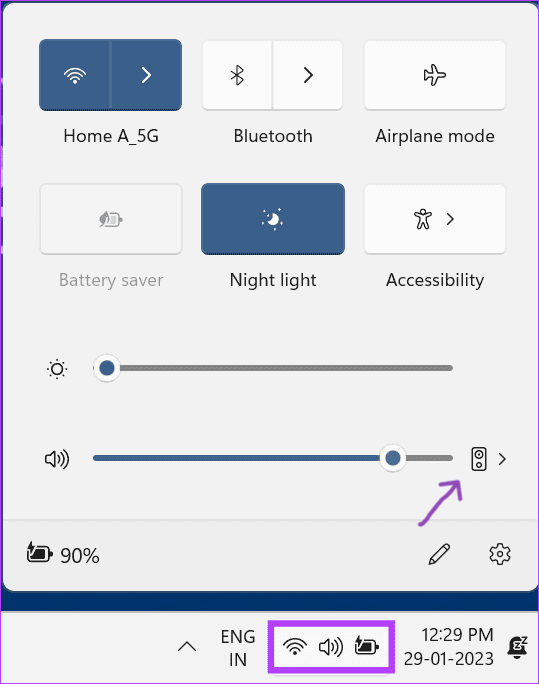
Windows 10 Windows 11
4. Once this has been done you can click back into your VM (Windows App), please test sound output now.
If issues still persist, please submit a ticket to the Helpdesk and we will assist as soon as possible
Comments
0 comments