
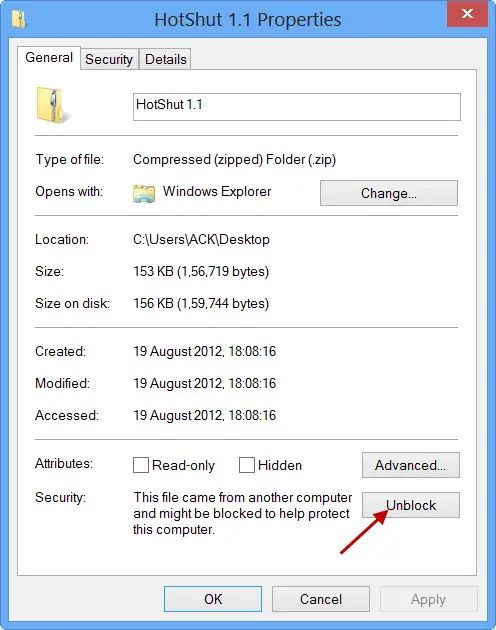
If Windows has blocked access to a file downloaded from the Internet, you can Unblock it by following these steps. To open such files or extract contents of blocked zipped files:
-
Right-click on the file
-
Select Properties
-
Make sure you are in the General tab
-
Press the Unblock button.
-
Click Apply/OK and exit.
-
The file will be unblocked.
After clicking the Unblock button, you will now be able to access or open the downloaded file.
Note: If this is an emailed file you will need to save the attachment to your PC then follow these steps.
Comments
0 comments